Quick answer
Ollama gets a local model answering prompts in five minutes — the easy part every guide stops at. The sovereign part starts when that box stays on 24/7 and becomes infrastructure with a power bill and a cooling problem underneath. Owning your inference stack only counts if you own the watts and heat, not just the weights.
You can have a local large language model answering prompts on your own hardware in about five minutes. Ollama made that true for ordinary people, and credit is due: the Ollama team wrapped llama.cpp — the inference engine Georgi Gerganov gave the world — in a one-line install and a clean model registry. The download finishes, you type ollama run, and a model that would have been state-of-the-art a couple of years ago starts talking back. No API key. No rate limit. No prompt shipped off to a hyperscaler’s log pipeline.
That part is genuinely easy. It’s also the part every guide stops at.
The sovereign question starts the moment you decide that box should stay on. A model you can summon in five minutes is a toy. A model that’s always there — answering at 3 a.m., indexing your notes, drafting in the background — is infrastructure. And infrastructure that runs twenty-four hours a day has a power bill, a thermal load, and a cooling problem underneath it. That underneath is the part the install tutorials skip, and it happens to be the exact thing Bitcoin miners have understood for a decade.
This is one more layer decentralized. Your node validates Bitcoin on your own metal. Your Lightning channels route value on your own metal. Owning your inference stack only counts as sovereignty if you also own the watts and the heat it produces — not just the weights on the disk.
Ollama in five minutes (the genuinely easy part)
We’re not going to re-teach the install here — we already wrote that, step by step, in Install Ollama and Run Your First Local LLM in 10 Minutes. The short version, so we’re all standing in the same place:
# Linux
curl -fsSL https://ollama.com/install.sh | sh

# then pull a model and talk to it
ollama run llama3.1:8b
macOS and Windows get a normal installer. On all three, you end up with an ollama CLI and a background service listening on localhost:11434. Pull a model, run it, done. If you want to compare Ollama against the alternatives before you commit, we did that in LM Studio vs Ollama vs llama.cpp.
This is the part that deserves the praise it gets. It really is five minutes. The trouble is that “it runs” and “it runs sustainably, all day, in a room you also live in” are two very different claims — and only the first one is in the docs.
The part the guides skip: 24/7 power draw
Here’s the mental shift. When you fire up Ollama to answer one question, the GPU spikes for a few seconds and idles back down. Run it for an afternoon and your power meter barely notices. But the whole point of self-hosting is that the thing is yours and it’s always on. The moment you decide to run Ollama 24/7 — as a service your other tools call, as a private assistant that never sleeps — you’ve signed up to feed a box continuously.
A box that’s always on draws power in three regimes, and the bill is dominated by the boring one:
- Idle: the service is up, no prompt in flight. A consumer GPU rig idles somewhere in the low tens of watts for the card, plus whatever the rest of the machine pulls (CPU, RAM, drives, PSU overhead). This is most of your hours.
- Inference: a prompt is generating tokens. The GPU climbs toward its rated board power for the duration of the response — seconds to a couple of minutes — then drops back.
- Sustained load: batch jobs, an agent looping, multiple users, or a model that keeps the card busy. This is where you actually approach the card’s TDP for extended stretches.
For a single-user assistant, you spend the vast majority of the day in idle, with brief inference spikes. That’s good news for the bill and bad news for anyone who sized their setup off peak wattage alone. The honest way to estimate a 24/7 local-AI box is: mostly-idle baseline × 24 hours, plus a small inference adder. Not peak TDP × 24.
The miner’s instinct here is the right one. A Bitcoin miner doesn’t ask “how fast can it go for a second?” — it asks “what does it pull, in watts, hour after hour, and what does that cost at my kWh rate?” Apply that same question to your AI box and you’ll size it honestly. Watts × hours × your electricity price is the only number that matters, and it’s the one the install guide never mentions.
VRAM vs wattage vs heat (the honest numbers)
People conflate three different limits, and the conflation is where money gets wasted. They are not the same constraint.
- VRAM decides what you can run. It’s a hard wall: if the model’s weights (after quantization) plus its context don’t fit in video memory, it either won’t load or it spills into system RAM and crawls. As a rough, as-of-2026 rule of thumb, an 8 GB card comfortably runs 7B–8B models at 4-bit quantization; 12–16 GB reaches into 13B; 24 GB (a used RTX 3090 is the pleb’s well-known sweet spot) handles 30B-class models or heavily quantized 70B. Treat those as starting points, not guarantees — quantization level, context length, and the specific model all move the line.
- Wattage decides what it costs. VRAM is free to sit there full; watts are what you pay for. A card’s board power (TDP) is the ceiling, not the average. Two cards with identical VRAM can have very different power draw and very different efficiency per token.
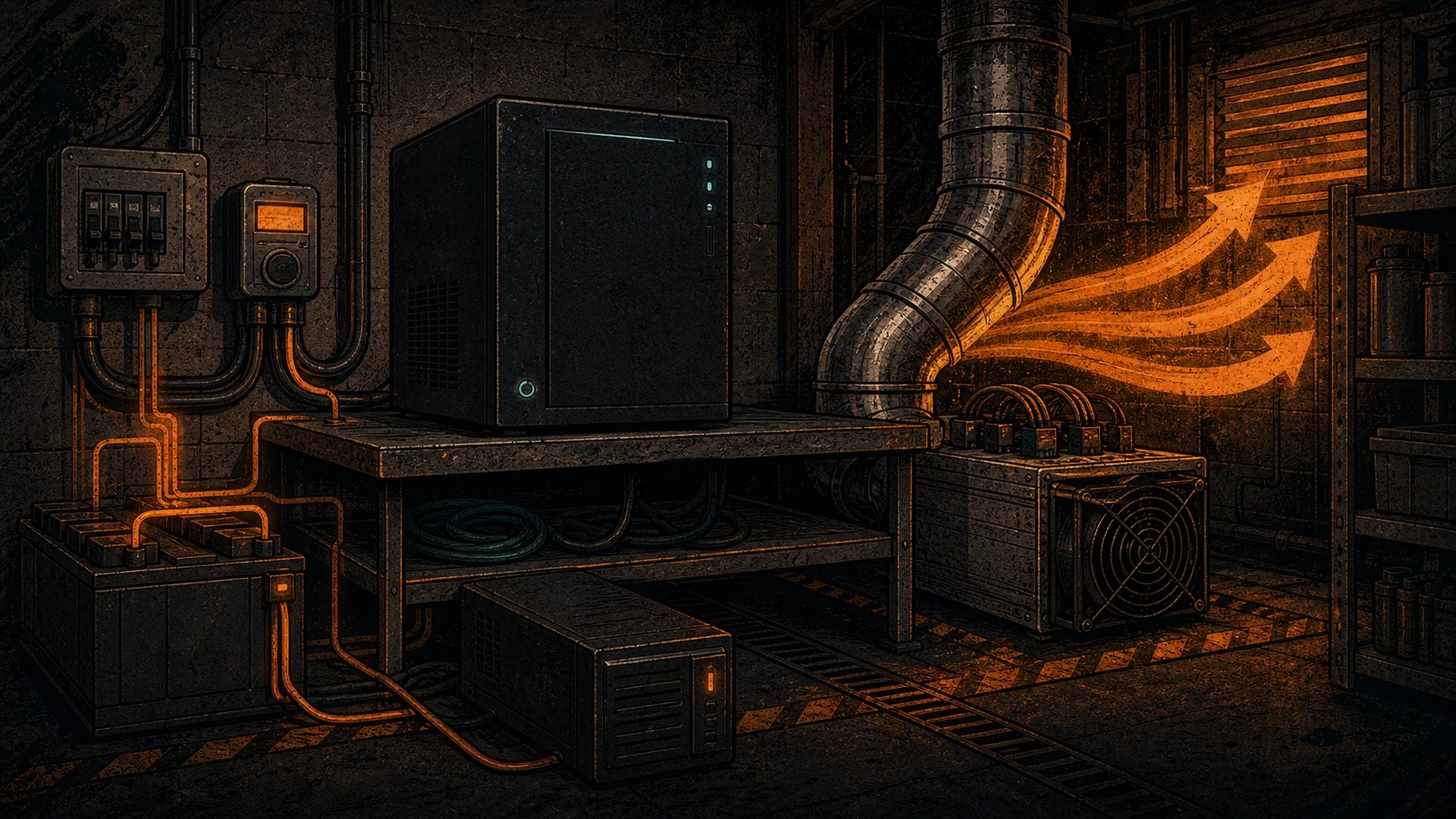
- Heat is wattage, restated. This is the part almost nobody says out loud: essentially every watt your GPU draws comes back out as heat. A card pulling 300 W under sustained load is a 300 W space heater pointed at your office. There is no magic — electrical power in equals heat out. That’s not a flaw; for a miner it’s the whole business model. But it means your AI box’s thermal footprint equals its power footprint, and you have to put that heat somewhere.
We’re deliberately hedging the wattage specifics because they move with every GPU generation, driver, and model release. The principle doesn’t move: VRAM is a wall, watts are the bill, and watts become heat. Anyone quoting you a precise 24/7 figure without knowing your card, your model, and your kWh rate is guessing. Size off your own hardware, measure at the wall with a meter, and you’ll know the truth in a day.
Cooling a local-AI box (what miners already know)
Once you accept that watts become heat, cooling stops being an afterthought and becomes a design constraint — and this is home turf for anyone who’s run mining hardware. The lessons transfer almost one-for-one:
- Airflow beats raw fan speed. A clear intake-to-exhaust path through the case matters more than louder fans. Cards that recirculate their own hot exhaust throttle, and a throttled GPU gives you fewer tokens per second for the same watts.
- Ambient temperature is your ceiling. A box in a hot closet runs hotter, throttles sooner, and ages faster. Miners obsess over intake air temperature for exactly this reason; your 3090 cares just as much.
- Dust is the slow killer. Continuous airflow pulls dust into heatsinks. A box that runs 24/7 needs the same periodic cleaning discipline a miner gives a hashboard.
- Noise is real. A GPU under sustained load spins up. It’s nowhere near the jet-engine roar of an ASIC, but if the box lives in the room you work in, plan for it. Many plebs end up moving the rig to a basement, garage, or utility space — the same place the miners already live.
None of this is exotic. It’s the boring, hard-won discipline of running hardware continuously, and the Bitcoin mining world has a decade of it. If you’ve ever tuned a miner’s intake or chased a thermal throttle, you already know how to keep a local-AI box healthy. If you haven’t, the mining community’s cooling playbook is the best free education available.
Where the heat goes (you might as well reuse it)
Here’s the reframe that turns a cost into an asset. That 300 W of heat your AI box rejects isn’t waste — it’s heat you’d otherwise pay a furnace to produce. In a cold climate (and Canada is a cold climate for a lot of the year), a box running 24/7 in an occupied space is doing double duty: answering your prompts and warming the room. The electricity you spent on inference offsets electricity you’d have spent on heating.
This is the exact logic behind heating with a Bitcoin miner instead of a dumb electric heater: a resistive space heater turns a watt into a watt of heat and nothing else; a miner turns that same watt into heat plus proof-of-work. A local-AI box turns it into heat plus tokens. In both cases you’re getting useful computation as a byproduct of heating you were going to do anyway.
The caveat — and we’ll always give you the caveat — is seasonal. Free heat is a gift in January and a liability in July. In summer, the same heat you welcomed now fights your air conditioning, and you pay twice. The miners who’ve run heat-reuse setups for years know this rhythm cold: lean into the heat in winter, move the box somewhere it can dump heat outside (or just run lighter) in summer. The honest position isn’t “free heating forever” — it’s “the heat is real, plan around the seasons, and in a Canadian winter it’s genuinely valuable.”
The Hashcenter option (facilitated installation, honestly framed)
Maybe you’ve read all of the above and concluded that running a power-hungry, heat-dumping, fan-spinning box in your home isn’t for you — at least not the heavy version. That’s a legitimate call, and it’s the reason hosting exists in the Bitcoin mining world in the first place. Not everyone wants an industrial heater in the spare room.
D-Central operates Hashcenter facilities, and we can facilitate the installation of hardware in that environment. Let’s be precise about what that means and what it doesn’t:
- It means we help you get equipment racked, powered, and cooled in a space built for continuous, high-draw, heat-heavy hardware — the kind of environment a 24/7 box belongs in, designed by people who’ve done it for mining for years.
- It does not mean a service-level agreement, an uptime guarantee, or a price-per-kilowatt promise. We don’t make those claims, and you should be suspicious of anyone in this space who hands them out casually. We frame what we offer as facilitated installation, plainly, because that’s the honest description.
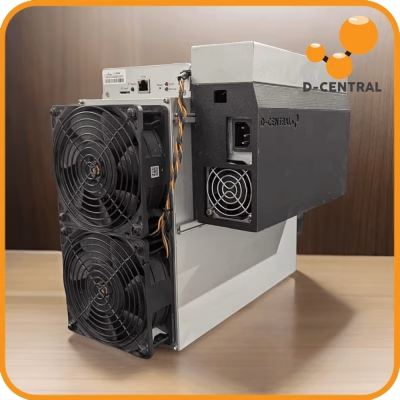
One technical point that trips people up, and it matters: an ASIC miner is not AI silicon. A Bitcoin miner’s chips are purpose-built to compute SHA-256 hashes and literally nothing else — they cannot run a language model, and a language model cannot run on them. If you want local AI, you need a GPU box; if you want to mine Bitcoin, you need a miner. They are separate machines that happen to share the same hard problems: continuous power and rejected heat. A Hashcenter is good at solving those problems, which is why a GPU AI rig and a miner can live in the same room even though the silicon doing the work is completely different.
If that environment fits how you want to run things, the Hashcenter / hosting page is where to start the conversation. If you’d rather keep the box at home and the watts under your own roof, that’s the more sovereign path and we respect it — that’s the whole point of self-hosting.
Where this fits
Ollama got you to the easy part: a model on your own metal in five minutes. The sovereign part is everything underneath — the watts you feed it, the heat it rejects, and where both of those go. That’s not a software problem. It’s an energy-and-hardware problem, and it’s the one Bitcoin miners have been solving in the open for a decade.
If you’re earlier in the journey, start with our self-hosted AI hub for the software side, and read the keystone piece — Can You Actually Run AI on a Bitcoin Miner? The Honest Answer — for exactly why ASIC silicon and AI silicon are different animals. For the wider picture of owning your own infrastructure, the sovereignty hub ties the node, the channels, and now the inference box into one story. And if you’re ready to source the hardware to do any of this, the shop is where the metal lives.
FAQ
What are the real hardware requirements to run Ollama?
To get started: a machine with at least 8 GB of RAM. CPU-only inference works but is slow. For a usable experience you want a GPU — and the limiting number is VRAM, not the GPU’s raw speed. As a rough, as-of-2026 guide, 8 GB VRAM comfortably runs 7B–8B models at 4-bit quantization, 12–16 GB reaches 13B, and 24 GB handles 30B-class or heavily quantized 70B models. Those are starting points; quantization, context length, and the specific model all shift the line, so size against your own hardware.
How much power does a local LLM actually use running 24/7?
Far less than the GPU’s peak TDP would suggest, because a single-user assistant spends most of its hours idle with brief inference spikes — not pinned at full load. The honest estimate is mostly-idle baseline draw × 24 hours, plus a small adder for inference, multiplied by your electricity rate. We won’t quote a single magic figure because it depends entirely on your card, your model, and your kWh price. Put a meter on the wall socket and you’ll know your real number in a day.
Does running Ollama produce noticeable heat?
Yes — essentially every watt the GPU draws comes back out as heat. A card pulling a few hundred watts under sustained load is the thermal equivalent of a small space heater. In a cold climate that’s a feature: the box warms the room while it works. In summer it fights your cooling. Plan for the seasons, exactly like a miner running a heat-reuse setup does.
Can I just run AI on my Bitcoin miner to save hardware?
No. An ASIC miner’s chips compute SHA-256 hashes and nothing else — they physically cannot run a language model. Local AI needs a GPU; Bitcoin mining needs an ASIC. They’re separate machines that share the same two hard problems: continuous power draw and rejected heat. Our keystone piece, Can You Actually Run AI on a Bitcoin Miner?, walks through exactly why the silicon doesn’t cross over.
What if I don’t want a hot, loud box running in my house?
That’s a reasonable call, and it’s why hosting exists. D-Central operates Hashcenter facilities and can facilitate the installation of hardware in an environment built for continuous power and heavy heat. To be clear, that’s facilitated installation — not an uptime guarantee, SLA, or price-per-kilowatt promise. If it fits how you want to run things, start at the Hashcenter / hosting page.
Credit where it’s due: Ollama is the work of its team and contributors, built on top of llama.cpp by Georgi Gerganov and the open-source community. D-Central’s contribution is the boring, durable part underneath — the power, the cooling, and the heat — because that’s the part that turns a five-minute demo into something you actually own.