Quick answer
After the June 12 directive disabled Claude Fable 5 and Mythos 5, stand up a local LLM in an afternoon. Pick the job first — chat, a coding agent, or document RAG — then the GPU. VRAM is the whole game: ~8 GB runs a 7–8B model, ~24 GB a 30B, ~48 GB a 70B — a backup nobody can revoke.
If your workflow died at 5:21 on a Thursday because someone in another country signed a directive, the fix is not a better vendor. It is no vendor. On June 12, a US export-control directive forced Anthropic to disable Claude Fable 5 and Mythos 5 for foreign nationals; live sessions quietly fell back to Opus 4.8 mid-task. No outage page, no warning—just a different model answering, and for a lot of people, a workflow that suddenly behaved differently than the one they’d built their week around.
This is the unglamorous part. The part where you stop reading about sovereignty and actually download a model that runs on a box you can physically unplug. It will not be as smart as the frontier model you lost. It will also never be taken away from you, and for a surprising amount of real work, that trade is the right one. Here’s how to stand one up in an afternoon—and we’ll be honest about the 80% that the one-command tutorials skip.
Key takeaways
- The download is the easy 20%. One command gets a model talking; the other 80%—context, prompts, retrieval, speed, privacy—is what decides whether you actually keep using it.
- Pick the job before the GPU. Chat and writing, a coding agent, and document search over your own files each point at a different model and a different amount of memory.
- VRAM is the whole game. A 7–8B model runs on ~8GB; a 30–32B model wants ~24GB; a 70B wants ~48GB. Quantization is what makes that affordable.
- A used RTX 3090 (24GB) is still the best dollars-per-VRAM you can buy, and Apple Silicon with big unified memory is a real, quiet option.
- Treat the local model as a backup that can’t be revoked. Keep it installed even if you live in the cloud daily—so the next directive can’t zero your week.
1. Pick your tier of need first
Most people choose a model by hype, then wonder why their laptop melts or the answers are mush. Work the other way. Decide what the machine is for, and the model and hardware fall out of that decision almost automatically. There are three honest tiers:
- Chat and writing. Drafting, editing, summarising, brainstorming, rewriting that awkward email. This is the friendliest tier—small models are genuinely good at it, and you can run it on hardware you may already own.
- A coding agent. Code completion, refactors, an assistant that reads your repo and proposes changes. This wants more capability and more memory, and it’s the tier the June 12 fallback hurt most.
- Documents and retrieval (RAG). Asking questions across your own contracts, manuals, notes, or codebase. The model matters less here than the plumbing around it—how you chunk, index, and feed your files in.
Be ruthless. If 90% of your usage is the first tier, do not buy a 70B-class rig to feel sovereign. Match the tool to the work and you’ll spend less, run faster, and actually keep the habit.
2. Hardware reality, no fantasy
Here is the part nobody puts up front because it sells fewer dreams: local LLMs are bottlenecked by memory. The model’s weights have to fit in fast memory—VRAM on a GPU, or unified memory on a Mac—or it crawls. The good news is that quantization (compressing those weights, typically to 4-bit / “Q4”) shrinks the requirement dramatically with only a modest quality cost. Q4 is what turns “needs a server” into “runs in your basement.”
| Model size | Approx. memory (Q4) | Example hardware | What it’s good for |
|---|---|---|---|
| 7–8B | ~8 GB | A modest GPU, a Mac with 16GB, or an AMD Strix Halo / Ryzen AI Max mini-PC | Chat, writing, summaries, light coding help |
| 13–14B | ~12 GB | A mid-range GPU, or Apple Silicon with room to spare | Better reasoning, more reliable drafting and edits |
| 30–32B | ~24 GB | An RTX 5090, or a used RTX 3090 24GB (still the best $/VRAM out there) | Serious general work and a capable coding assistant |
| 70B | ~48 GB | Dual RTX 3090, an RTX PRO 6000, or Apple Silicon with 128GB unified memory | The closest a home rig gets to “frontier-feeling” |
| Large MoE (e.g. gpt-oss-120b) | ~80 GB | A single ~80GB GPU | Big-model capability where you can fit it |
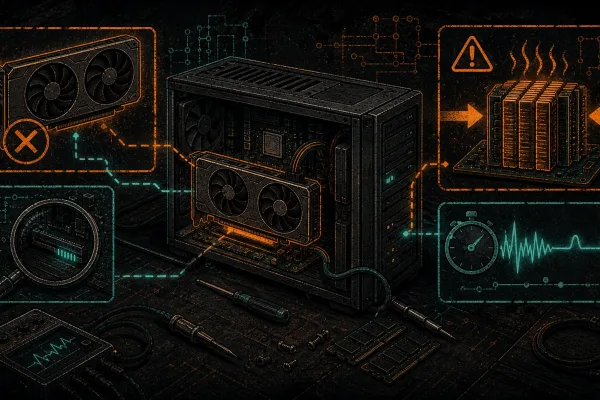
A few honest notes on buying. You do not need new silicon. A used or refurbished RTX 3090 with 24GB remains the pragmatic plebs’ choice—it punches far above its price for local inference, and the 24GB is what matters more than raw speed. Apple Silicon is the dark-horse option: unified memory lets a Mac Studio hold models that would need multiple consumer GPUs, it sips power, and it’s silent. And the new AMD Strix Halo / Ryzen AI Max mini-PCs make the entry tier genuinely accessible. Whatever you pick, the rig is only half the story—power and heat are the part the tutorials don’t mention, and they’ll bite you on anything bigger than a hobby box. For the wider “why your basement beats a national GPU strategy” argument, we’ve laid out the hardware case in full.
3. Get a model running (the easy part)
This is the 20% everyone shows off, so let’s get it done quickly and credit the people who made it possible. The open-source tooling here is excellent, and none of it is ours.
- Install Ollama. It’s the easiest on-ramp—install it, then a single command pulls a model and starts chatting. If you want a polished graphical app instead of a terminal, LM Studio does the same job with a GUI and a model browser.
- Pull a model that matches your tier. Start small. A 7–8B model proves the whole pipeline works before you commit to anything heavier.
- Talk to it. That’s it—you now have a private model answering on your own hardware.
Under the hood, most of this runs on llama.cpp, the engine that made efficient CPU/GPU inference and quantization practical for the rest of us. When you outgrow single-user chat and need to serve a team or an app, vLLM is the step up for high-throughput serving. Credit where it’s due: Ollama, LM Studio, llama.cpp and vLLM are why any of this takes an afternoon instead of a research grant.
For the models themselves, these open-weight families are strong starting points—pick by job, not by leaderboard:
- Qwen3 — an excellent general-purpose pick that also codes well; a sensible default for most people.
- Mistral 3 — efficient and capable, a great fit for the mid tiers.
- Gemma 4 — solid for chat and writing on smaller hardware.
- DeepSeek — strong reasoning and coding lineage.
- gpt-oss — open-weight models including the large MoE variant if you’ve got the memory for it.
To be clear about what these are: capable, free, yours. None of them is going to out-think a current frontier model, and we’re not going to pretend otherwise. That’s not the point. The point is they answer to you.
4. The hard 80% (where most guides stop)
Here’s the honest part. The reason people download a local model, poke it for ten minutes, and crawl back to the cloud isn’t that the model is bad. It’s that the model arrives naked—no context, no instructions, no access to your files—and they compare that to a cloud product that has years of polish wrapped around it. The model is 20%. This is the 80%:
- Context handling. Local models have a finite context window, and stuffing too much in slows them to a crawl or makes them forget the start. Learn what your model’s window is and feed it deliberately.
- A sane system prompt. A good system prompt is the cheapest upgrade you’ll ever make. Tell the model who it is, how to format, what to refuse, and what you’re working on. The same weights go from “meh” to “genuinely useful” on the strength of this alone.
- Tool use. A model that can call tools—run code, search, hit an API—is worth far more than one that just talks. This is where local setups start to feel like a real assistant instead of a chatbot.
- Retrieval over your own files (RAG). This is the killer feature for sovereignty. Index your documents locally and let the model answer from them, with nothing leaving your machine. It’s also the fiddliest piece—chunking, embeddings, and retrieval quality make or break it.
- Keeping it fast. Quantization level, context length, batch settings, and whether the model fully fits in VRAM all decide your speed. Speeds vary wildly by setup, so treat any tokens-per-second number you read—including a rough “feels instant on a 3090 for an 8B model”—as illustrative, not a promise.
- Keeping it private. The whole reason you’re here. Confirm nothing phones home, run it on a box you control, and decide deliberately when (if ever) you reach for the cloud.
The deeper treatments live in the companion pieces—the power-and-heat reality of running this 24/7 and the full self-sovereign local AI stack. Read those before you decide your first afternoon was a failure. It wasn’t; you just hadn’t done the 80% yet.
5. Replacing a coding agent specifically
The June 12 fallback hit coding workflows hardest, because that’s where people had wired a specific frontier model deep into their editor and their habits. The good news: you can run a coding agent offline.
The pattern is straightforward—point your editor or agent at a local model instead of a cloud endpoint. Many coding tools accept a local, OpenAI-compatible API, which Ollama and vLLM both expose, so you swap the endpoint and keep your workflow. A 30–32B model on a 24GB card is the sweet spot here: capable enough for real refactors and reasoning, small enough to run at home.
What do you give up versus a frontier model? Be clear-eyed: less raw reasoning on gnarly multi-file problems, a smaller context window, and you’ll do more of the steering yourself. What you gain: a coding assistant that works on a plane, in an air-gapped lab, or during the next policy whiplash—and that never sends your proprietary code to anyone. The full walkthrough, including air-gapped setup, is here: running coding agents offline with local models.
6. Continuity: the backup that can’t be revoked
Even if you love your cloud model and use it every day, install the local one anyway. Think of it the way you think of a generator or a hardware wallet: it’s not your daily driver, it’s the thing that means a single decision somewhere else can’t zero your week.
This is disaster recovery, plain and simple. June 12 was a fire drill that turned real. The people who shrugged it off were the ones who already had a model on a box in the next room. Pull a model now, write your system prompt now, index your files now—while it’s calm—so that the next time a directive lands, your fallback is “switch to the local one” instead of “lose a week figuring this out under pressure.” That’s the whole bitcoiner instinct applied to compute: don’t trust a service you can’t run yourself.
7. Honest limits, restated
We’re not going to oversell this. There is real work where you’ll still reach for a frontier API: the hardest reasoning, the longest contexts, the cutting-edge multimodal stuff, the times you need the absolute best answer and the data isn’t sensitive. That’s fine—use the right tool.
Just do it with your eyes open. The moment you send a prompt to a cloud API, your data leaves your box and lives by someone else’s terms, someone else’s jurisdiction, and someone else’s policy changes. The discipline is to choose that consciously for the cases that warrant it, rather than defaulting to it for everything—including the 70% of work a local model would have handled privately and for free. Sovereignty isn’t never touching the cloud; it’s never being trapped by it.
8. Where to go next—and when to call for help
If you’re the type who likes to build it yourself, you have everything you need: pick your tier, buy the VRAM, install Ollama, pull a model, and start working through the 80%. Start with the AI hub for the rest of the playbooks, and read why this matters for Canadians specifically if you want the bigger picture behind June 12.
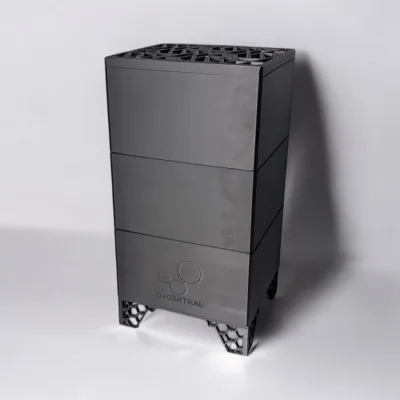
There’s a line, though, where this stops being a weekend project. When local AI becomes business-critical—uptime that matters, regulated or sensitive data, a team depending on it, compliance on the line—that’s when “good enough, mostly working” stops being good enough. If you’d rather not source the parts, fight the drivers, and tune the stack yourself, we’ll design and hand-build it for you, or you can buy one of our Sovereign AI boxes and have it arrive running. Same philosophy, less afternoon.
What’s the easiest way to run a local LLM?
Install Ollama, then pull a model with a single command—you’ll be chatting in minutes. If you’d rather have a graphical app with a built-in model browser, LM Studio does the same thing with a GUI. Both sit on top of llama.cpp, the open-source engine that makes efficient local inference possible. Start with a small 7–8B model to confirm everything works before you go bigger.
How much VRAM do I actually need?
It scales with model size at Q4 quantization: roughly 8GB for a 7–8B model, ~12GB for 13–14B, ~24GB for 30–32B, and ~48GB for a 70B. A used RTX 3090 (24GB) is the best dollars-per-VRAM buy for most people, and Apple Silicon with large unified memory can hold models that would otherwise need multiple GPUs. Match the memory to your job tier rather than buying the biggest card you can.
Is a local model good enough to replace ChatGPT or Claude?
For a lot of real work—writing, editing, summarising, document Q&A, and a capable coding assistant—yes. For the hardest reasoning, the longest contexts, and absolute top-end quality, a frontier model still wins, and we won’t pretend otherwise. The honest framing: a local model isn’t smarter, it’s yours—it can’t be revoked, and for the bulk of day-to-day tasks that trade is worth it.
Can I run it fully offline / air-gapped?
Yes. Once the model weights are downloaded, nothing needs the internet—you can pull the plug and keep working. That’s the entire point: a model on a box you physically control, with your files indexed locally via retrieval so sensitive data never leaves the machine. It’s also exactly how you run a coding agent in an air-gapped environment.
You can do this today. Install Ollama, pull a 7–8B model, and write yourself a real system prompt this afternoon—then work through the 80% at your own pace. And if it becomes business-critical, or you’d simply rather skip the build, talk to us about a hand-built sovereign AI setup or browse the Sovereign AI boxes and have one delivered running. Either way, the goal is the same: a capable model on hardware you can unplug—one more layer decentralized.
Own your AI: the sovereign path
Move from understanding the risk to owning your compute: read the pillar, compare local against cloud, check the Quebec Law 25 angle, then have D-Central build or guide your on-premise setup.