Quick answer
Nostr Wallet Connect (NIP-47) lets any app control your Lightning wallet via encrypted messages over Nostr relays — no custodial API key, no surrendered keys. Each connection is a unique, revocable secret with its own spending budget and permissions, so apps get narrow access while you keep custody.
Nostr Wallet Connect (NWC) is an open protocol, defined in NIP-47, that lets any app control a Lightning wallet by exchanging encrypted messages over Nostr relays — no custodial API key, no exchange login, and no surrender of your funds. A wallet service and a client app each hold their own secp256k1 keypair and talk through a shared relay: the app asks “pay this invoice” or “what is my balance,” and your wallet answers, while you keep custody of the node and the coins. Because every connection is a unique, revocable secret with its own spending budget and permission set, you can hand a Nostr client, a checkout page, or an automation script narrow, leashed access to your own wallet without ever exposing your keys.
The problem NWC solves
For most of Lightning’s history, letting an app spend from your wallet meant one of two bad trades. Either you ran a custodial account and handed the app an API key (the service held your money and your key could move all of it), or you copy-pasted invoices and QR codes by hand for every single payment. Neither fits the way people actually use Nostr, where a “zap” — a small Lightning tip — needs to fire in a fraction of a second from inside a social feed.
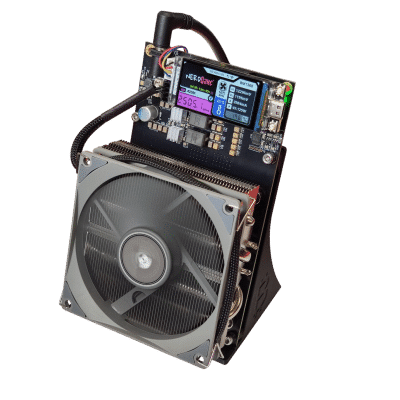
NWC, originally proposed by the team at Alby together with the broader Nostr developer community and standardized as NIP-47, threads the needle. It defines a common language so that a client app can drive a wallet it does not control, over infrastructure neither party has to host privately, with the wallet owner setting hard limits up front. The result is a single, portable connection that works across dozens of apps and wallets — you connect once and your zaps, checkouts, and automations just work, while your keys never leave your wallet. This is the same self-sovereign instinct behind running your own Bitcoin signing device: use the tools you like, but hold the keys yourself.
How NWC works: the architecture
NWC has two roles. The wallet service is the software that actually holds funds and can move sats — for example a self-hosted node or a hosted wallet. The client is the app that wants to request actions — a Nostr social client, a web store, or a script. Each side has its own Nostr keypair (standard secp256k1 keys, the same curve Bitcoin uses), and they never share a private key. They communicate exclusively through encrypted Nostr events relayed over one or more relays both can reach.
The protocol uses four event kinds:
- Kind 13194 — info event. A replaceable event the wallet service publishes to advertise which commands and notifications it supports, and which encryption schemes it accepts.
- Kind 23194 — request. An encrypted event the client sends, naming a method (such as pay_invoice) and its parameters.
- Kind 23195 — response. The wallet service decrypts the request, checks whether that connection is authorized and within budget, performs the action, and replies with a result or an error.
- Kind 23197 — notification (kind 23196 for the legacy path), letting the wallet push events such as “payment received” back to the client.
Message contents are encrypted. NIP-47 prefers NIP-44 (version 2) encryption and keeps the older NIP-04 scheme only for backward compatibility; the info event carries an encryption tag listing what the service supports. If you want a deeper map of how these building blocks fit together, see the Nostr NIPs reference.
The connection string
Everything an app needs to reach your wallet is packed into one URI using the nostr+walletconnect:// scheme. The host is the wallet service’s public key, followed by query parameters:
- relay — the URL of a relay where the wallet service is listening (for example wss://relay.example.com). You can specify more than one.
- secret — a 32-byte, randomly generated, hex-encoded string. This is the client’s private key for this connection; the client uses it to sign and encrypt its requests.
- lud16 (optional) — a Lightning address, used by some wallets to pre-fill profile details.
A connection string therefore looks like nostr+walletconnect://<wallet-pubkey>?relay=wss%3A%2F%2Frelay.example.com&secret=<32-byte-hex>. Treat that secret like a password: anyone holding it can send requests to your wallet within whatever budget and permissions you attached to it. The crucial design choice is that each app gets its own connection string. You never reuse one secret across apps, so revoking a leaky app means deleting one connection, not rotating your whole wallet.
The commands
NIP-47 defines a focused set of methods. A wallet advertises the subset it implements in its info event, and a connection is only allowed to call the methods you granted it.
| Command | What it does |
|---|---|
| pay_invoice | Pays a BOLT-11 Lightning invoice. |
| multi_pay_invoice | Pays several invoices in one request. |
| pay_keysend | Sends a spontaneous keysend payment to a node, no invoice required. |
| make_invoice | Creates a new Lightning invoice to receive a payment. |
| lookup_invoice | Retrieves the status and details of an invoice or payment by hash or string. |
| list_transactions | Lists past invoices and payments, with filtering and paging. |
| get_balance | Returns the wallet balance, expressed in millisatoshis. |
| get_info | Returns node information and the methods and notifications the wallet supports. |
The spec also includes hold-invoice methods (make_hold_invoice, settle_hold_invoice, cancel_hold_invoice) for advanced flows, plus optional notifications: payment_received, payment_sent, and hold_invoice_accepted. When something goes wrong, the wallet returns a structured error such as INSUFFICIENT_BALANCE, QUOTA_EXCEEDED (a budget was hit), RESTRICTED or UNAUTHORIZED (the connection lacks permission), RATE_LIMITED, PAYMENT_FAILED, or NOT_FOUND — so clients can react sensibly instead of guessing.
Permissions and budgets: the leash
The reason NWC is safe to use with third-party apps is that authority is scoped per connection. Because each connection is a separate key with “arbitrary constraints,” a wallet can attach:
- An allowed method list — for example, grant a read-only dashboard only get_balance and list_transactions, with no ability to pay.
- A spending budget — a maximum amount, often with a renewal window (daily, weekly, monthly, or yearly). Once a connection spends its budget, further payments return QUOTA_EXCEEDED until the window resets.
- An expiry date — the connection simply stops working after a chosen time.
- Notification permissions — which events, if any, the app may receive.
If an app misbehaves, is compromised, or you simply stop using it, you delete that one connection. Your wallet, your other apps, and your funds are untouched. That revocability is the heart of NWC’s trust model.
Self-custodial vs hosted wallet services
NWC does not make a custodial wallet non-custodial, and it does not make a self-hosted node custodial — it is a control protocol layered on top of whatever wallet you point it at. The custody question is decided by which wallet service you run.
| Approach | Who holds the funds | Examples | Trade-off |
|---|---|---|---|
| Self-hosted node | You — your own Lightning node | Alby Hub (embedded LDK, or LND / Core Lightning / Phoenixd backends), the standalone NWC apps for LND and CLN | Full sovereignty; you run and maintain the node and its channels. |
| Hosted custodial wallet | The provider | Coinos, Primal Wallet | Easiest to start; you trust the operator with your sats. |
| Ecash wallet | The mint (custodial), via Cashu Wallet Connect | Cashu.me, Minibits | Fast and private between users; the mint can still censor or fail. |
For people who want to “use the apps but hold the keys,” Alby Hub is a common starting point: it runs on a desktop (macOS, Windows, Linux), a server via Docker, or a cloud host, and it can drive an embedded LDK node or connect to your existing LND, Core Lightning, or Phoenixd. From its dashboard you mint NWC connection secrets, each with its own method list, max_amount budget, renewal period, and expiry. Self-hosting platforms such as Umbrel and Start9 can also host an NWC-capable wallet on a node you already keep at home. The ecash path — using Cashu Wallet Connect, an NWC extension for Chaumian ecash — is covered in our ecash, Cashu and Fedimint guide (publishes alongside this one).
Apps and wallets that speak NWC
NWC’s value grows with every project that adopts it, and the open list maintained by the community is broad. On the wallet service side you will find Alby Hub, the Alby browser extension and Alby Go, Coinos, Primal Wallet, LNbits (via its NWC plugin), and the ecash wallets Cashu.me and Minibits. Zeus added NWC as both a client and a wallet service, so a self-custodial Zeus node can serve zaps to your social apps. On the client side, Nostr apps such as Amethyst, Damus, Primal, Snort, noStrudel, Nostur and others let you attach a wallet via NWC, alongside utilities like Zapple Pay, Zap Planner, Zap Stream and Wavlake. Two SDKs make integration straightforward for builders: the JavaScript Alby SDK (@getalby/sdk) and a Rust implementation in the Nostr libraries. Because support changes quickly, confirm a specific app’s current status before you rely on it.
Real-world use cases
- Zaps. The signature use case — tip a note or a creator instantly from inside a Nostr client, paid by your own wallet under a daily budget.
- E-commerce checkout. A web store can present an invoice your wallet pays in-app, no QR scan or redirect.
- Automation and DVMs. Scripts and Nostr Data Vending Machines can pay for compute or data on demand within a capped allowance, so a runaway job can never drain you.
- Read-only dashboards. Grant a monitoring app only get_balance and list_transactions to watch flows without any spend authority.
This composability is exactly the kind of permissionless interoperability that the broader digital sovereignty toolkit is built around — and it pairs naturally with sovereign transport layers like those covered in our Reticulum network guide.
The security and trust model — and its limits
NWC’s strengths are real but bounded, and it is worth being clear-eyed about both. On the plus side: your wallet’s master keys never leave the wallet; each app holds only a scoped, budgeted, revocable secret; and payloads are end-to-end encrypted with NIP-44 between the two keypairs. The wallet service is the final authority — it independently checks every request against that connection’s permissions before moving a single sat.
The limits: a connection secret is bearer authority up to its budget, so anyone who obtains it can spend within that cap until you revoke it — keep budgets tight and expiries short. The relay sees that two keys are exchanging encrypted NWC events and can observe timing and metadata, even though it cannot read the contents; running or choosing your own relay reduces that exposure. And NWC inherits the custody model of whatever wallet sits behind it: pointing a connection at a custodial service means that service still controls your funds. Used deliberately — a self-hosted node, narrow budgets, one secret per app, your own relay — NWC lets you enjoy the convenience of third-party apps while genuinely holding your own keys. Browse the underlying data and tooling across the ecosystem in our open data hub.
Frequently asked questions
Is Nostr Wallet Connect custodial?
NWC itself is neither custodial nor non-custodial — it is a control protocol. Custody depends entirely on which wallet service you connect. Point a connection at your own self-hosted node (for example via Alby Hub running LDK, LND or Core Lightning) and you remain fully self-custodial. Point it at a hosted service such as Coinos or Primal Wallet and that provider holds your funds.
Do I need a Nostr account to use NWC?
No. NWC reuses Nostr’s relays and event format as transport, but the connection is established with a dedicated keypair generated for that purpose. You can connect an app to your wallet without ever creating or linking a Nostr social identity, although many people do use NWC precisely to power zaps within Nostr clients.
How do I limit how much an app can spend?
When you create a connection in your wallet service, you set a budget — a maximum amount, usually with a renewal window such as daily, weekly or monthly — and you choose which methods the connection may call. Once the budget is reached the wallet returns a QUOTA_EXCEEDED error and refuses further payments until the window resets. You can also set an expiry date and revoke the connection at any time.
What happens if a connected app is compromised?
The damage is capped at that connection’s budget, and your master keys are never exposed because each app holds only its own scoped secret. You revoke the affected connection in your wallet, which immediately cuts the app off, and your other apps and your funds are unaffected. This is why the recommended practice is one connection per app, with tight budgets and short expiries.
Which wallets and apps support NWC today?
On the wallet side, Alby Hub, Coinos, Zeus, Primal Wallet, LNbits, and the ecash wallets Cashu.me and Minibits support NWC, and self-hosted options exist for LND, Core Lightning and Phoenixd nodes. On the app side, Nostr clients such as Amethyst, Damus, Primal, Snort and noStrudel, plus tools like Zapple Pay and Zap Planner, act as NWC clients. Support evolves quickly, so verify a project’s current status before relying on it.
How is NWC different from a Lightning API key (LNDhub or LNbits keys)?
A traditional API key is typically a single, long-lived credential against a specific service, often with broad access. NWC instead issues a unique, revocable keypair per connection, transported over open Nostr relays rather than a private endpoint, with per-connection budgets, method permissions and expiries baked into the protocol. The practical effect is finer-grained, more portable control that works the same way across many wallets and apps.