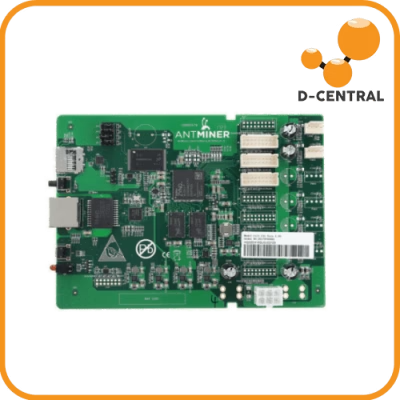
Ask why a hashboard reports zero chips and most troubleshooting guides jump straight to the ASICs. But on S19-generation boards there’s a 14-pin chip the size of a grain of rice that can take the whole board down by itself: the PIC microcontroller. It’s one of the least-discussed components on an Antminer hashboard — and one of the most decisive at the repair bench.
What the PIC actually does
On S19-series hashboards, the PIC is a Microchip PIC16F1704 in a SOIC-14 package — designated U3 on the S19 and U6 on the S19 Pro. It has two jobs:
- It stores the board’s calibration data — the computing frequency and operating voltage parameters determined for that specific board at the factory. This is why two visually identical hashboards aren’t interchangeable data-wise: each board’s PIC (together with its EEPROM) carries its own tuned parameters.
- It answers the control board over I2C (the PIC’s pins 3 and 4) on the shared bus that runs to all hashboards, with address pins selecting which board is being addressed.
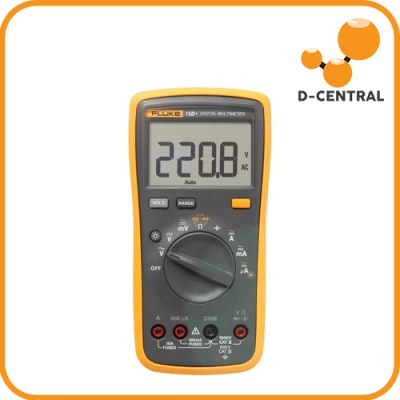
The quick health check is simple and worth memorizing: measure the PIC’s output pin 2 — you should see 3.3 V. If that rail is absent, the PIC has failed or its programming is corrupted, and the board typically presents as dead: zero chips found, no amount of reflashing helps.
How PICs fail
Two dominant causes show up on the bench:
- Programming corruption — the stored calibration data goes bad, often after power events. The chip is physically fine but the board won’t run until it’s reprogrammed.
- ESD damage — electrostatic discharge during handling. This is one of the quiet arguments for grounding straps when you swap boards.
The failure signature — 0 chips detected, no 3.3 V on pin 2 — overlaps with several other faults, so rule out the basics first: our EEPROM error guide covers the board-not-recognized family, and voltage-domain measurement catches the power-path problems that mimic chip failures.
Reprogramming: the PICkit3 route
A corrupted S19-series PIC is recoverable with a Microchip PICkit3 programmer. The procedure in outline: connect the PICkit3 cable to the J3 header on the hashboard (pin 1 to pin 1, pins 1–6 connected), read the current firmware and data, flash the correct firmware for the specific board model and revision, then verify the 3.3 V output has returned on pin 2. The critical discipline is matching firmware to the exact board revision — wrong calibration data on a working PIC is its own failure mode.
Why the S21 doesn’t have one
Here’s the fact that trips up seasoned S19 techs moving to newer hardware: the BM1368 generation removed the PIC entirely. S21 and T21 hashboards have no PIC chip — and neither do the S21 Pro, S21 XP, or S21+ Hydro. Board identity and parameters live in the EEPROM (U6 on the S21/T21), and the board’s 12 voltage domains are managed through a different regulator arrangement, with 11 level shifters added compared to previous generations.
Practical consequence: if you’re diagnosing an S21-family board with an S19 playbook, skip the PIC steps — there is nothing to measure or reprogram. And if a parts listing claims to sell you an “S21 PIC,” treat the listing with suspicion.
The bench summary
| Board | PIC present | Designator | Recovery |
|---|---|---|---|
| S19 (BM1398) | Yes — PIC16F1704 | U3 | PICkit3 via J3 |
| S19 Pro (BM1398) | Yes — PIC16F1704 | U6 | PICkit3 via J3 |
| S21 / T21 (BM1368) | No | — | EEPROM-based identity |
| S21 Pro / XP / + (BM1370) | No | — | EEPROM-based identity |
A dead-looking hashboard with a healthy power path and zero chips found is a strong PIC suspect on S19-series boards — a five-minute multimeter check before any thought of chip work. If the board still won’t come back after reprogramming, or you’d rather not open the toolbox at all, our Montreal repair bench handles PIC, EEPROM, and full board-level diagnosis daily. Describe the symptoms via our troubleshooting library or send them straight to the bench.
Component-level references
This guide is part of a bench-grounded series on the individual components of an Antminer control board and hashboard:
- Antminer NAND & boot chain — the partition map, the boot verification chain, and per-family recovery when a miner won’t boot.
- Hashboard EEPROM reference — what the EEPROM stores by generation and why boards aren’t interchangeable.
- Inside the Zynq FPGA — the CPU-decides/FPGA-transmits division of labour and why the bitstream can’t simply be replaced.
- ASIC control-board reference — identify which control board you’re holding.