Quick answer
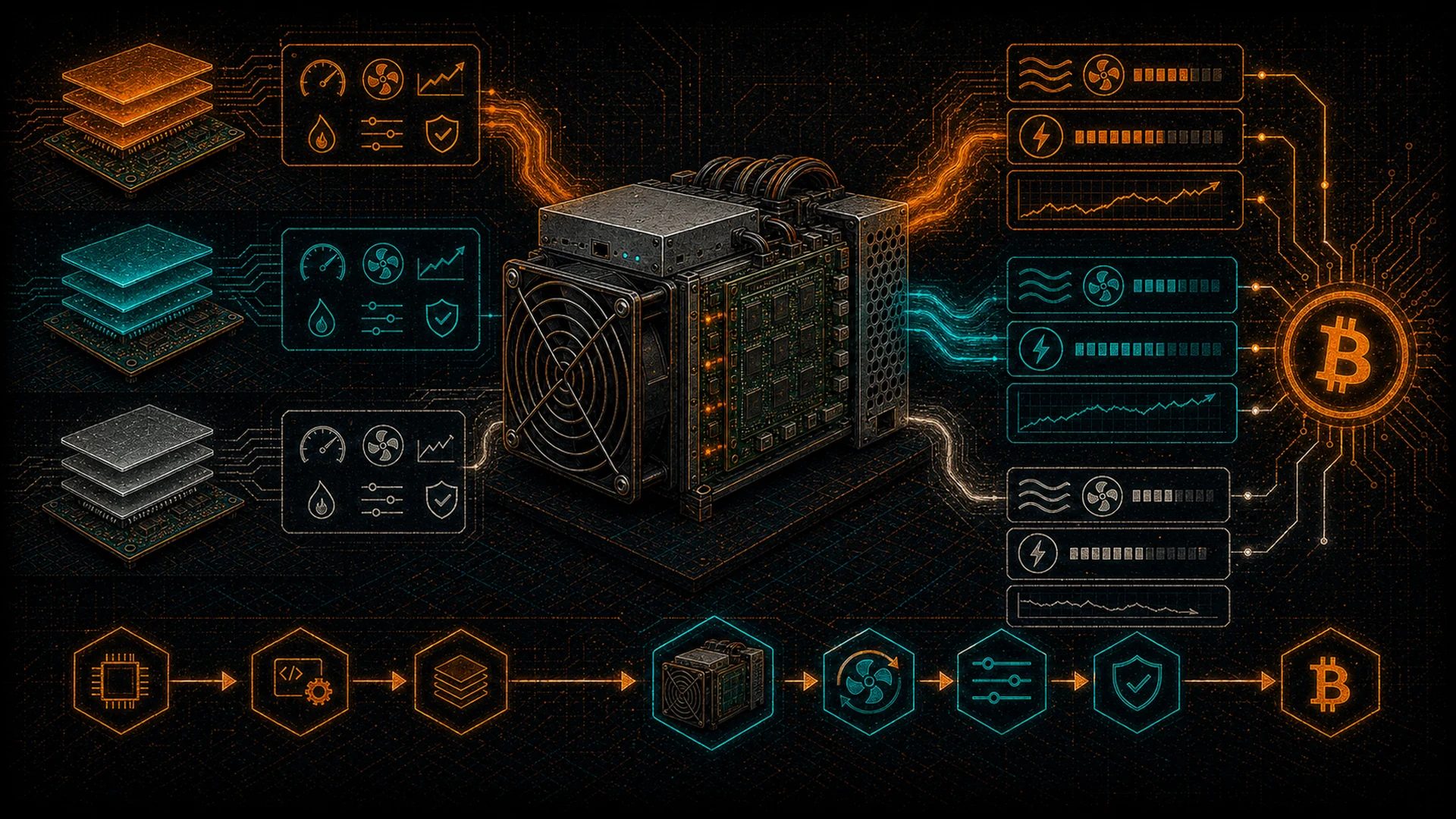
This guide compares three ASIC firmware options — stock manufacturer firmware (Bitmain, MicroBT), Braiins OS, and VNish. Custom firmware lets you underclock for efficiency, overclock for performance, autotune voltage and frequency, and schedule hashrate around time-of-use electricity pricing. Of these three, only Braiins OS ships native Stratum V2 (on Bitaxe hardware, AxeOS added native SV2 in June 2026). Stock firmware is a starting point, not the ceiling.
The firmware running on your ASIC miner determines everything: hashrate, power efficiency, temperature management, and your ability to tune the machine to your specific conditions. Stock firmware is a starting point — custom firmware is how serious miners get everything their hardware can give.
This guide compares the three major ASIC firmware options: Braiins OS, VNish, and stock firmware from manufacturers like Bitmain and MicroBT.
Why Custom Firmware Matters
Manufacturer stock firmware is designed to ship hardware out the door with acceptable performance. It is not optimized for your specific electricity cost, ambient temperature, noise tolerance, or performance goals. Custom firmware lets you:
- Underclock for efficiency: Reduce power consumption disproportionately to hashrate loss
- Overclock for performance: Push hashrate above factory specs when cooling and power allow
- Autotune: Let firmware automatically tune frequency per chip and voltage per power domain
- Schedule operations: Adjust hashrate based on time-of-use electricity pricing
- Use Stratum V2: On Antminer, currently available through Braiins OS+; on open-source hardware, the Bitaxe’s AxeOS/ESP-Miner added a native SV2 client in v2.14.0 (June 2026)
Firmware Comparison
| Feature | Stock (Bitmain) | Braiins OS | VNish |
|---|---|---|---|
| Price | Free (included) | Free / 2–2.5% devfee for autotuning | 2–2.8% devfee (% of hashrate) |
| Autotuning | No | Yes (industry-leading) | Yes |
| Underclocking | Limited | Full control | Full control |
| Overclocking | Limited | Yes | Yes |
| Per-chip Tuning | No | Yes (automatic) | Yes (automatic) |
| Stratum V2 | No | Yes | No |
| Power Limit Mode | No | Yes (set max watts) | Yes |
| Immersion Support | Basic | Full support | Full support |
| API Access | Basic CGMiner API | Full REST API + Prometheus | Full API |
| Supported HW | Own brand only | Antminer S9/S17/S19/S21 | Antminer + Whatsminer |
| Open Source | No | Partially | No |
Braiins OS: Deep Dive
Braiins OS is the most established custom ASIC firmware. Developed by Braiins, the company behind Braiins Pool (formerly Slush Pool — the first Bitcoin mining pool), it has a long track record.
Key Features
- Autotuning: Tests each individual ASIC chip and tunes its frequency to the best stable point, while voltage is set per power domain (a group of chips sharing a DC-DC converter, not per individual chip). Since every chip is slightly different (silicon lottery), this per-chip frequency tuning extracts maximum performance.
- Power Target Mode: Set a maximum wattage and let the firmware maximize hashrate within that constraint. This is how you underclock efficiently.
- Stratum V2: The only major Antminer firmware with native Stratum V2 support, for enhanced decentralization (on open-source hardware, the Bitaxe’s AxeOS/ESP-Miner added a native SV2 client in v2.14.0 (June 2026)).
- Dynamic Performance Scaling: Continuously monitors chip temps and adjusts performance to prevent thermal throttling.
Cost Model
Braiins OS+ costs nothing to download, but a 2–2.5% dev fee applies whenever autotuning is enabled (the exact figure varies by hardware model) — a portion of your mining time is directed to the Braiins pool, on every pool you point the miner at. The older non-Plus open-source Braiins OS has been discontinued. For many miners, the efficiency gains from autotuning far exceed the 2–2.5% fee.
VNish: Deep Dive
VNish is a commercial ASIC firmware developed by an independent team, known for aggressive overclocking capabilities and broad hardware support.
Key Features
- Aggressive Overclocking Profiles: VNish is known for pushing hardware harder, popular with miners who prioritize maximum hashrate.
- Whatsminer Support: VNish supports MicroBT Whatsminer series in addition to Bitmain.
- Custom Fan Curves: Detailed control over fan behavior for noise management in home mining.
- Immersion Cooling Profiles: Purpose-built profiles for immersion-cooled miners.
Cost Model
VNish charges an ongoing dev fee of 2–2.8% of hashrate (the exact percentage varies by Antminer model and feature tier). Unlike Braiins OS, where the fee only applies when autotuning is enabled, the VNish dev fee applies whenever you run the firmware.
Stock Firmware: When It Makes Sense
Stock firmware is not always the wrong choice. Consider staying on stock if:
- Warranty concerns: Your hardware is under manufacturer warranty
- New hardware: Custom firmware support may not be available yet
- Simplicity: If you do not need tuning, stock requires zero additional setup
D-Central offers custom firmware solutions, including our own DCENT-OS optimized for specific use cases. Visit our shop for firmware-related products and services.
Firmware Optimization for Home Mining
Home miners face unique constraints that firmware can directly address. The right firmware settings transform a noisy, power-hungry industrial machine into something livable.
Noise Reduction Through Underclocking
Fan noise scales with heat output, which scales with power consumption. Underclocking an Antminer S19 from 3,250W to 2,000W can drop noise levels from 75 dB to under 55 dB — the difference between a vacuum cleaner and a quiet conversation. Braiins OS power target mode makes this trivial: set your watt limit and the firmware handles the rest.
Time-of-Use Scheduling
Many Canadian provinces offer time-of-use electricity pricing. Off-peak rates can be 40-60% cheaper than peak rates. Custom firmware lets you schedule different performance profiles:
- Peak hours (7am-7pm): Run at minimum power or shut down entirely
- Off-peak (7pm-7am): Run at full or overclocked performance
- Weekends/holidays: Full performance all day at off-peak rates
Temperature-Based Throttling
Both Braiins OS and VNish support automatic temperature-based throttling. Set a maximum chip temperature (e.g., 75 degrees C) and the firmware reduces frequency to stay within limits. This protects hardware during summer heat waves and extends component lifespan.
Troubleshooting Common Firmware Issues
Miner Not Booting After Flash
If your miner fails to boot after a firmware flash, connect via Ethernet and check the IP. Most Antminers have a recovery mode accessible by holding the reset button during power-on. If recovery mode fails, you may need to use an SD card flash method or contact D-Central’s repair service for assistance.
Hashrate Lower Than Expected
After installing custom firmware with autotuning, allow 30-60 minutes for the tuning process to complete. Hashrate will fluctuate during this period. If hashrate remains low after tuning, check that your PSU delivers adequate power — underpowered PSUs cause chips to run below optimal frequency.
Excessive Rejects or Stale Shares
High reject rates (above 2%) usually indicate network issues, not firmware problems. Check your internet connection stability, ping times to the pool server, and ensure you are connecting to a geographically close pool server. Most firmware dashboards show reject rates in real time.
The Flashing Process
Before You Flash
- Back up your current firmware
- Record your current settings: Pool URLs, worker names, fan speeds
- Ensure stable power: A failed flash can brick your miner
- Verify the firmware source: Only download from official websites (braiins.com, vnish.net)
Braiins OS Flash Process
- Download the BOS Toolbox from braiins.com
- Connect to the same network as your miner
- Run the toolbox and enter your miner IP address
- The toolbox automatically detects hardware and installs the correct firmware
- Configure pool and wallet via the new web interface
- Enable autotuning and set your power target
Reverting to Stock
Both Braiins OS and VNish support reverting to stock firmware. Always keep a copy of the stock firmware for your specific hardware model and version.
DCENT_OS: the one whose fee you can read
Braiins OS+ and VNish above are both closed mining binaries that take a share of hashrate — 2–2.5% and a stated VNish figure respectively. LuxOS is 2.8%. Stock is free and gives you almost no control. There is a fourth position.
DCENT_OS publishes its own Rust daemon, dashboard and Buildroot integration under GPL-3.0. The six clean scoped source bundles, including the BB3 S19j Pro supplement, do not establish complete firmware source coverage or end-to-end reproducibility; source correspondence and redistribution permission for reused vendor boot/kernel/FPGA inputs remain unverified. There is no mandatory firmware fee. October fresh defaults are donation OFF/0%; retained settings may differ. Optional 0–5% contributions use scheduled Stratum V1 mining time; saved changes require a daemon restart, and no share or payout percentage is guaranteed. The donation-info API displays configured/public fields, which do not prove wallet ownership, this miner's work or an actual payout.
The current catalog contains 20 exact-board Experimental artifact sets: 17 native raw SD images, one BB3 S19j Pro developer payload, and distinct S9 first-install and S19j Pro Xilinx runtime-update archives. The Xilinx runtime update requires an existing system already accepting that update authority. The BB developer payload has no supported consumer installation path; its external boot prerequisites and preparation remain unverified. Physical qualification remains pending. No other model suffix or controller inherits a package's route or qualification. Verify the original signed file set against the explicitly published development key, then read the package-specific installation and recovery prerequisites; package verification does not establish bootability or alter an existing device's trust.
The full four-way comparison, including where DCENT_OS is not yet competitive, is on the firmware comparison page.
Which Firmware Should You Choose?
| Scenario | Recommended | Reason |
|---|---|---|
| Home miner, want efficiency | Braiins OS | Power target mode + autotuning = best J/TH. Stratum V2 for decentralization. |
| Maximum hashrate priority | VNish | More aggressive overclocking profiles. |
| Whatsminer hardware | VNish | Braiins OS does not support Whatsminer. |
| New/warranty hardware | Stock | Preserve warranty until it expires. |
| Decentralization focused | Braiins OS | Only major Antminer firmware with native Stratum V2. |
| Budget conscious | Braiins OS | Free to use. 2–2.5% devfee only if autotuning enabled (varies by model). |
Frequently Asked Questions
Will custom firmware void my warranty?
Potentially, yes. However, both Braiins OS and VNish can be fully uninstalled, reverting to stock firmware.
Can custom firmware damage my miner?
Properly developed firmware from reputable sources will not damage hardware. The risk comes from aggressive overclocking beyond hardware limits or from downloading malicious firmware from unofficial sources.
How much efficiency improvement can I expect?
Autotuning typically improves efficiency (J/TH) by 5-15% compared to stock firmware. Power target mode can reduce consumption by 20-40% with proportionally less hashrate loss.
Do open-source miners like Bitaxe use these firmware options?
No. Bitaxe runs AxeOS (based on ESP-Miner), and NerdAxe devices run NerdMiner-derived firmware. Braiins OS and VNish are designed for full ASIC miners like the Antminer and Whatsminer series.
Can I run different firmware on different miners?
Absolutely. Each miner operates independently. Many operators run Braiins OS on some units for efficiency and VNish on others for maximum hashrate.
Can I use custom firmware to run my miner as a space heater?
Yes, and this is one of the best use cases for custom firmware. Use Braiins OS power target mode to set your miner to output the exact wattage you need for heating. A miner set to 2,000W produces roughly 6,800 BTU — equivalent to a medium-sized space heater. D-Central’s Bitcoin Space Heaters are specifically configured for this use case.
Firmware Knowledge Base
Custom firmware is how a home miner takes back control of the hardware. Deep-dive references from D-Central’s bench:
- AxeOS advanced configuration — API, overclocking & network setup for Bitaxe
- Antminer S19 firmware guide — VNish, Braiins & LuxOS compared
- Antminer S19 overclocking — the risks and the rewards
- Diagnose a hashboard with BraiinsOS — find the dead chip
- Antminer overclocking demystified — the comprehensive performance guide
- Diagnose a hashboard with VNish — the VNish diagnostic workflow
- Unlock your ASIC with VNish firmware — tuning beyond stock
- Braiins & Luxor remote install tools — fleet-scale firmware deployment
- Why update your Antminer firmware — efficiency, features & security
- The ASICBoost saga — innovation and controversy in mining
- Bitmain low-power-mode firmware — install on S19 / S19j Pro
Related D-Central Knowledge Bases
Every layer of Bitcoin mining, decentralized. The rest of D-Central’s deep-dive libraries:
- ASIC Repair Knowledge Base
- Home Mining Knowledge Base
- Bitaxe & Open-Source Miner Knowledge Base
- Bitcoin Heating Knowledge Base
- Solo & Lottery Mining Knowledge Base
- Quiet Mining Knowledge Base
- Hydro & Water-Cooled Mining Knowledge Base
Hardware Repair Deep-Dives
Firmware only gets you so far — when the silicon fails, these are D-Central’s repair-bench references:
- Expert ASIC repair strategies
- The technical knowledge behind ASIC repair
- The ultimate Antminer repair checklist
- Professional hashboard repairs
- Antminer error codes overview