The jump from one miner to several is where home mining stops being a hobby and starts being infrastructure. A single Bitaxe on a desk or one Antminer in a closet forgives almost any mistake — there is not enough power, heat, or noise to hurt you. Add three more and every weakness in your setup gets multiplied: the circuit you were borderline on now trips, the room you were heating is now an oven, the noise you tolerated is now a problem with the rest of the household. Scaling is not “buy more miners.” It is upgrading the system around the miners so it can carry the load.
D-Central has been building and repairing home mining setups since 2016, and the failures we see most often are not bad miners — they are good miners run on infrastructure that never got scaled with them. This guide walks the actual path: what to fix, in what order, and how to know when you have hit a real limit.
Start With the Right First Miner
Your first miner should teach you the operation without punishing you for learning. Two sane entry points, depending on what you want:
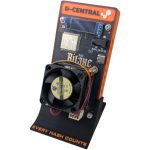
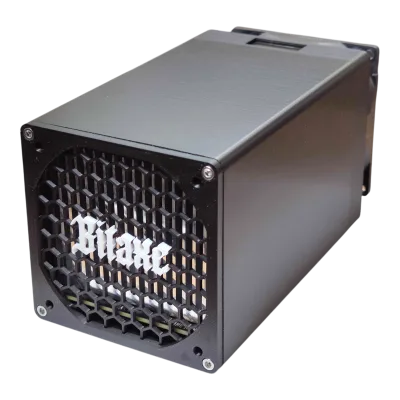
- A Bitaxe if you want to learn the software, pool configuration, and monitoring side with zero infrastructure risk. The Bitaxe is an open-source single-board solo miner pulling roughly 15W — it runs off USB-C, makes almost no noise, and produces negligible heat. It will not pay your power bill, but it teaches you the whole stack: pool setup, the web interface, firmware, monitoring. The board generations run Max, Ultra, Supra, and Gamma.
- A residential-engineered full ASIC if you want meaningful hashrate from day one. D-Central’s Antminer Slim Edition (26-44 TH/s at 860-930W, single hashboard, 120V via a Loki control board) or the BitChimney (a single-hashboard S19-series miner, ~21-24 TH/s, ~600-650W, runs on a standard 120V outlet) are both built to live in a home rather than a warehouse.
Whichever you pick, run it for a few weeks before buying a second. Watch its power draw with a meter. Note how much heat it actually puts into the room. Listen to it at night. That data is what you will use to plan everything else. Run the numbers on your specific rate with the Mining Power Cost Calculator and check viability with the Mining Profitability Calculator before you commit to a second unit.
Power: The Constraint That Decides Everything
Electrical capacity is the hard ceiling on a home farm, and most people hit it before they expect to. Work this out before you buy anything.
Circuit math
A standard North American 15A/120V circuit has roughly 1,800W of capacity, and continuous loads should not exceed 80% of that — about 1,440W. A 20A circuit gives you about 1,920W continuous. Continuous is the key word: miners run flat-out 24/7, so this is not a load you can “mostly” cover. One Antminer Slim Edition at ~900W already eats most of a 15A circuit. Two of them need their own dedicated 20A circuits. This is why miners trip breakers and overheat outlets — the circuit was sized for a lamp and a laptop, not a sustained kilowatt.
The 120V vs 240V decision
Stock industrial Antminers want 240V. Most home outlets are 120V. This is the single biggest infrastructure fork in home mining. You have three paths:
- Stay on 120V with miners built for it. D-Central’s Slim Edition and BitChimney run on standard household outlets by design. No electrician required to start.
- Run dual-voltage hardware. The Antminer Loki Edition is engineered to operate on both 110V and 240V — a residential-modded S19, S19j Pro, or S19k Pro (42, 48, and 56 TH/s respectively) that gives you flexibility as your wiring changes.
- Get 240V circuits installed. If you are committed to scaling, paying an electrician to run dedicated 240V circuits to your mining space is the cleanest long-term answer. It is also the point where “home mining” becomes a small farm.
D-Central’s Slim and Loki Editions use a Loki control board (designed by Pivotal Pleb) specifically to make single-hashboard, household-voltage operation possible — that engineering exists because the 120V constraint is the number one thing that stops home miners from scaling.
Distribution and protection
As you add units, use a proper power distribution unit rather than a daisy-chain of power strips. Put the whole operation behind surge protection — a power event that takes out four PSUs at once is an expensive afternoon. Browse power supplies and cables and connectors rated for sustained load, not the cheapest thing that fits.
Heat: From Free Comfort to Real Problem
One miner heats a room — usually a welcome thing in a Canadian winter. Four miners in that same room will drive it past 35°C, and now you have a thermal problem that throttles your hashrate and shortens hardware life. Scaling heat management is non-negotiable.
- Duct the exhaust. The home miner’s superpower is that the heat is useful. Use shrouds and duct adapters with inline Cloudline-style fans to channel hot exhaust where you want it — into adjacent rooms in winter, outside in summer. A scaled farm should never just dump heat into the room it sits in.
- Separate intake and exhaust. If hot exhaust recirculates back into the intakes, your miners breathe their own heat and temperatures spiral. Physically separate the cool-in and hot-out air paths.
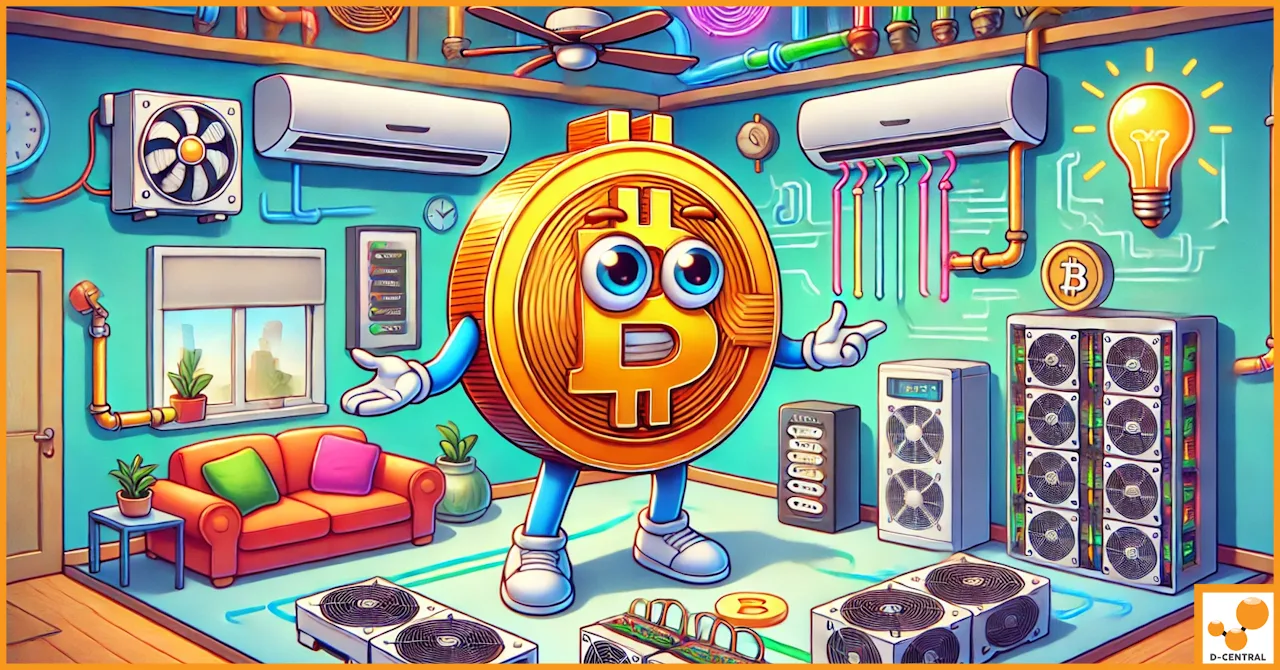
- Treat the farm as an HVAC zone. At three or more units, your mining space needs to be planned like a heating zone in your home. Our guide to optimizing home mining with HVAC covers integrating miner heat into your house instead of fighting it.
This is also why D-Central’s Bitcoin Space Heater line exists — full-ASIC Space Heater Editions (built on the Antminer S9, S19, and similar) and the BitChimney are engineered so that scaling your hashrate also scales your home heating. A 13.5 TH/s Antminer S9 Space Heater Edition puts out roughly 4,600 BTU/hr; that is a heating appliance you can plan a room around, not a nuisance to vent away.
Noise: The Reason Most Home Farms Get Shut Down
Noise is what ends home mining operations — not profitability, not difficulty, but a spouse, a roommate, or a neighbor who has had enough. A stock industrial Antminer runs at 75+ dBA, roughly a vacuum cleaner that never turns off. One is tolerable behind a closed door. Four is not. Plan for it:
- Buy quiet from the start. D-Central’s residential builds swap stock high-RPM industrial fans for premium silent fans (Noctua, Arctic). The Slim Edition, BitChimney, and Loki Edition all run in the ~35-50 dBA range — quieter than a refrigerator, livable in a home.
- Use the enclosure. The BitChimney’s 3D-printed chimney housing dampens fan vibration and isolates hashboard hum. Enclosure design is doing acoustic work, not just cosmetics.
- Isolate and dampen. A dedicated room with a solid-core door, weatherstripping, and the miners on anti-vibration feet makes a measurable difference. Hard mounting a miner to a resonant surface turns the whole surface into a speaker.
Network and Monitoring: One Miner Forgives, Many Do Not
With one miner you notice problems by walking past it. With a farm you need to see it remotely or you will not notice a dead hashboard for days — and a hashboard running degraded for days is a repair bill building up.
- Wire everything. Run every miner on Ethernet, not WiFi. A managed switch handling the farm is far more reliable than a contended wireless link, and it lets you see each unit cleanly.
- Set up real monitoring. Use the miners’ firmware dashboards plus a fleet monitoring tool so you get alerted when a unit drops offline, loses a hashboard, or runs hot. Browse mining tools for what you need.
- Standardize firmware. Running the same firmware across the fleet — for Antminer-class hardware, options like VNish, BraiinsOS+, LuxOS, or D-Central’s own open-source DCENT OS — makes tuning and troubleshooting consistent instead of a different puzzle on every box.
Maintenance: A Schedule, Not a Reaction
A farm needs preventive maintenance because the failure rate scales with unit count. The big one is dust — it insulates heatsinks, kills fans, and ends up causing the overheating faults that fill our repair bench. Keep intake filters clean, deep-clean heatsinks quarterly with compressed air, and check fans for wear. Our full guide to creating a dust-free mining environment covers the routine in detail. Keep spare fans on hand — a fan is cheap, the hashboard it protects is not.
When something does fail beyond a fan swap — a hashboard fault, a dead chip, a PSU that gave out — that is what D-Central’s ASIC repair service is for. We are the Western repair authority, and for a home farm, board-level repair is the difference between a unit back online in a week and a unit written off.
Know When You Have Hit a Real Limit
Honest scaling means knowing where home stops. There is a point — usually a combination of electrical service capacity, the heat your house can absorb, and the noise your household will accept — where adding another miner at home costs more in upgrades and friction than it returns. When you hit that wall, you have not failed; you have found the edge of a home operation. That is when hosting becomes the rational next step: D-Central offers mining hosting for exactly the units that no longer fit the house. Run what your home can comfortably carry, host the overflow.
The Scaling Path, In Order
- Run one miner long enough to know its real power, heat, and noise numbers.
- Solve power first — dedicated circuits, the 120V/240V decision, proper distribution and surge protection.
- Solve heat — duct the exhaust somewhere useful, separate intake from exhaust, treat the space as a heating zone.
- Solve noise — buy residential-engineered hardware, isolate and dampen the space.
- Build network and monitoring — wired, managed, alerted, firmware standardized.
- Run a maintenance schedule — dust control and preventive checks, with repair as a planned backstop.
- Recognize the limit — host the overflow when home can no longer carry it.
Done in that order, scaling is controlled and predictable. Done by just buying miners and plugging them in, it is a sequence of tripped breakers, throttled hardware, and household arguments. D-Central builds the residential-engineered miners, the shrouds and cooling gear, and the repair and hosting services that make the controlled version possible. Start with the right first miner, scale the system around it, and you build a home farm that actually lasts.
Ready to plan your build? Explore D-Central’s home and pleb mining hardware, model your costs with the Mining Profitability Calculator, and read the full How to Mine Bitcoin at Home guide for the complete picture.
Frequently Asked Questions
How many ASIC miners can I realistically run at home?
It depends entirely on your electrical service, how much heat your home can absorb, and your tolerance for noise — not on the miners themselves. As a rough guide, each ~900W full ASIC needs most of its own dedicated circuit. Many homes can comfortably run two to four residential-engineered miners on existing service; going beyond that usually means installing 240V circuits or moving overflow units to a hosting facility.
Do I need an electrician to scale my home mining setup?
Not necessarily to start. D-Central’s Antminer Slim Edition and BitChimney run on standard 120V household outlets, and the Loki Edition runs on both 110V and 240V. But once you are adding multiple units, dedicated circuits — and often 240V — are the safe, clean answer, and that is electrician work. Never run sustained kilowatt loads on circuits or outlets not rated for continuous use.
What is the biggest mistake people make when scaling a home farm?
Buying more miners before upgrading the infrastructure around them. Power, heat, noise, and monitoring all need to scale before the next unit arrives, not after. The second most common mistake is ignoring noise — it is the single most common reason home mining operations get shut down by the people who share the house.
Should I start with a Bitaxe or a full ASIC?
A Bitaxe if your goal is to learn the software, pools, firmware, and monitoring with zero infrastructure risk — it pulls about 15W and runs off USB-C. A residential-engineered full ASIC like the Slim Edition or BitChimney if you want meaningful hashrate immediately. Many home miners start with a Bitaxe to learn, then add full ASICs once they understand the operation.
When does it make sense to move from home mining to hosting?
When the cost and friction of the next infrastructure upgrade — new circuits, more cooling, more soundproofing — outweighs what an additional home miner returns, or when household tolerance for heat and noise is maxed out. At that point, D-Central’s mining hosting lets you keep expanding your hashrate without expanding the load on your house.