Pull the lid off any ASIC that has been running in a basement for a year and you will find the same thing: a grey felt of dust packed into the heatsink fins, caked on the fan blades, bridging the gaps between components on the hashboard. That felt is not cosmetic. It is a thermal blanket. It is the difference between a miner that holds its rated hashrate for five years and one that throttles, errors out, and lands on a repair bench. Dust is the slowest, quietest hardware failure in home mining, and almost nobody plans for it until it is already a problem.
This is a workshop problem, and D-Central has been solving workshop problems since 2016. We see the end state of dust neglect every week on our ASIC repair bench — the failure modes in our dc_error_code reference library are full of overheating faults that trace straight back to clogged airflow. So treat this as a maintenance discipline, not a chore. Here is how to keep your home mining environment clean enough that dust never makes your shortlist of problems.
Why Dust Kills Miners (The Actual Mechanism)
An ASIC miner is a heat engine. A 3,250W Antminer S19 converts essentially all of that power into heat, and the only thing standing between the silicon and a thermal shutdown is airflow moving across aluminum heatsinks. Dust attacks that system at three points:
- Heatsink insulation. Dust that settles between heatsink fins acts as an insulator. The aluminum can no longer shed heat into the air passing over it. Chip temperatures climb, the firmware throttles frequency to compensate, and your hashrate quietly drops 10-20% before you ever notice.
- Fan degradation. Dust builds up on fan blades and inside the bearing housing. The blade profile changes, static pressure drops, and the bearing wears faster. A fan that should last years fails in months — and a dead intake fan on a hashboard means a dead hashboard within minutes.
- Conductive bridging. Household dust is not inert. It carries skin cells, textile fibers, pet dander, and — critically — moisture. A damp dust layer across a control board or PSU can create leakage paths between traces. This is how a “clean” miner suddenly throws a board fault after a humid week.
The pattern we see on the bench is consistent: overheating-related error codes, hashboard chips that have run hot for so long they have detached or cracked, PSUs that died from thermal stress. None of it is exotic. It is all preventable with airflow management and a cleaning schedule.
Know Your Enemy: Where Home Dust Comes From
A home is a far dirtier environment for electronics than most people assume. A commercial mining facility controls its air. Your spare bedroom does not. The major sources:
- Textiles. Carpet, curtains, upholstered furniture, and bedding shed fiber constantly. A miner running in a carpeted room is breathing fiber 24/7.
- Pets. Dander and hair are the single fastest way to clog an intake. If you have a long-haired animal, your cleaning interval needs to be aggressive.
- Construction and renovation. Drywall dust is fine, abrasive, and gets everywhere. If you are renovating, move the miner or seal the room.
- Outdoor infiltration. Pollen, road dust, and soot enter through windows and gaps. A miner near an open window in spring is a pollen filter.
- The forced-air furnace. A poorly filtered HVAC system circulates dust through the whole house. Your miner becomes a collection point for the dust your furnace stirs up.
You cannot eliminate these. You can stack the deck against them with placement, filtration, and routine.
Placement: The Decision That Matters Most
Where you put the miner determines how hard everything else has to work. Before you think about filters or air purifiers, get placement right.
- Hard floors over carpet. Tile, concrete, sealed hardwood, or vinyl. If you only have carpet, put down a hard mat or sheet of MDF under and around the miner.
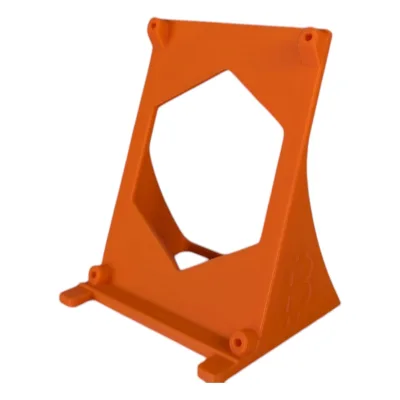
- Off the floor. Dust concentration is highest in the bottom few inches of a room. Elevate the miner on a shelf, rack, or stand. This single change meaningfully reduces intake load. For Bitaxe-class single-board miners, a simple desktop stand does the job; for full ASICs, a steel shelf or open-frame rack works.
- Away from walking paths. Foot traffic stirs settled dust back into the air. A low-traffic corner or a dedicated room beats a hallway.
- Not in a sealed closet without ventilation. A closet can be a clean micro-environment, but only if you duct fresh air in and hot air out. A sealed closet just cooks the miner in its own exhaust.
The ideal home setup for a full ASIC is a small dedicated room with a hard floor, where intake air is drawn from a filtered source and exhaust is ducted outside or into a space you want heated. That last point is the home miner’s edge — see our guide on optimizing home mining with HVAC for how to turn miner exhaust into useful heat instead of a dust problem.
Airflow Management: Ducting and Shrouds
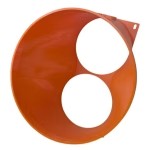
The cleanest air management strategy is to control the entire path the air takes. Instead of letting a miner pull dirty room air and dump hot air wherever, you channel it. D-Central builds adapters and shrouds for exactly this — 3D-printed PETG shrouds, in black or orange, that mate an Antminer’s exhaust to a 6-inch or 8-inch duct, so you can run that hot air through an inline filter, into another room, or outside.
Paired with an AC Infinity Cloudline inline fan, a shrouded-and-ducted miner gives you two wins at once: you control where the heat goes, and you can put a filter on the intake side so the air entering the miner is already clean. That is a far better approach than trying to keep an entire room dust-free. Browse the full range of cooling fans and mining accessories to build the path that fits your space.
D-Central’s purpose-built residential miners take this further. The BitChimney wraps a single-hashboard Antminer S19-series board in a vertical 3D-printed chimney enclosure — the housing itself channels airflow by natural convection and acts as a partial barrier against settling dust. The Antminer Slim Edition uses a custom 3D-printed chassis with premium silent fans, a more contained airflow path than a bare industrial Antminer sitting on a shelf.
Filtration: Intake Filters and Air Purifiers
There are two filtration strategies, and the best setups use both.
Intake-side filtration (filter the air going into the miner)
This is the most direct defense. A coarse foam or pleated filter over the miner’s intake catches the big stuff — hair, fiber, visible dust — before it ever reaches the heatsinks. The trade-off: a filter restricts airflow, so you must monitor it. A clogged intake filter is worse than no filter, because it starves the miner of cooling air. Inspect it on a fixed schedule and clean or replace it before it loads up. Coarse filtration over the intake, frequently serviced, is the single highest-value dust control measure for a home ASIC.
Room-side filtration (filter the air in the space)
A standalone HEPA air purifier reduces the ambient dust load in the room, which means less dust reaching the miner in the first place. Size it to the room’s square footage, look for a high CADR (Clean Air Delivery Rate) for dust, and put it where it can actually circulate — not jammed in a corner. This is a supporting measure, not a substitute for intake filtration, but in a room with pets or carpet it earns its keep.
If your miner is ducted, you can also put an inline filter in the duct run. And do not neglect the obvious one: if the miner shares a room with a forced-air HVAC return, upgrade the furnace filter. A MERV 11-13 furnace filter cuts the dust your whole house recirculates.
The Cleaning Routine That Actually Works
A schedule you will actually follow beats a perfect schedule you abandon. Here is a realistic one for a home ASIC. Adjust the intervals based on your environment — pets and carpet mean shorter intervals.
- Weekly (2 minutes): Visual check. Look at the intake — if you can see dust building on the grille or filter, it is time. Check that all fans are spinning.
- Monthly (10 minutes): Clean or replace intake filters. Wipe down the miner’s exterior and the surfaces around it with a microfiber cloth. Check fan blades for buildup.
- Quarterly (30-45 minutes): Power down. Take the miner outside or to a garage. Blow out the heatsinks and fans thoroughly with compressed air or an electric blower. This is the deep clean that prevents the felt layer from ever forming.
- Annually: Full inspection. Check fans for bearing wear and replace any that are noisy or slow. Inspect the control board and PSU for dust bridging. If you run a tuned firmware, this is a good time to re-verify thermals.
How to Clean an ASIC Without Wrecking It
The deep clean is where people damage hardware. Do it right:
- Always power down and unplug first. Never clean a running miner.
- Use compressed air or a dedicated electric blower — not a shop vac. A vacuum nozzle dragged across a board generates static that can damage components. Blow dust out, do not suck it across the silicon.
- Hold the fans still while you blow them. Forcing a fan to spin backwards with compressed air can generate a voltage spike through the fan motor. Stick a zip tie or pencil in the blades to lock them.
- Do the deep clean outdoors or in a garage. You are relocating a cloud of dust — do not do it in the room the miner lives in.
- Never use liquid cleaners or water on the boards. If you have conductive grime that air will not shift, that is a job for isopropyl alcohol and a proper procedure — or the repair bench.
- Wear an anti-static strap if you are handling the hashboard or control board directly.
If you open a miner during a deep clean and find dust has been bridging components, a fan bearing has failed, or chips are showing heat damage, do not gamble on running it. That is exactly the kind of fault our ASIC repair service handles every day — a hashboard reflow or chip replacement now is cheaper than a dead board later.
Humidity: The Other Half of the Equation
Dust and humidity are linked. Dry dust is mostly a thermal problem. Damp dust is an electrical one — moisture makes a dust layer conductive. Aim to keep the miner’s environment in the 40-60% relative humidity range. Too dry, and static discharge becomes a risk during handling and from the dry dust itself. Too humid, and you invite corrosion and conductive bridging. A cheap hygrometer in the room tells you where you stand, and a dehumidifier or humidifier brings it into range. This matters more in some climates than others — our breakdown of home mining across different climate zones covers the regional specifics.
Choosing Hardware That Fights Dust For You
Some of the dust battle is won at the purchase decision. Open industrial Antminers — bare metal frame, exposed boards, high-RPM fans pulling huge volumes of air — are dust magnets by design. They were built for warehouses with controlled air, not bedrooms. D-Central’s residential builds are engineered with the home environment in mind:
- The BitChimney — a single-hashboard S19-series miner in a vertical 3D-printed chimney enclosure. The S19 variant runs ~21 TH/s at ~600W; the S19j Pro variant ~24 TH/s at ~650W, both at ~40-45 dB on a standard 120V outlet. The enclosed, convection-driven design is far more contained than an open frame.
- Antminer Slim Edition — 26-44 TH/s depending on hashboard variant, 860-930W, in a custom 3D-printed chassis with premium silent fans and a Loki control board for 120V operation. A contained airflow path beats a bare Antminer on a shelf.
- Antminer Loki Edition — residential-modded S19, S19j Pro, and S19k Pro builds (42, 48, and 56 TH/s respectively) running on 110V/240V with silent fans, designed to live in a home rather than a hosting facility.
For the smallest footprint, a Bitaxe — the open-source ~15W single-board solo miner — sits on a desk and pulls a tiny fraction of the air a full ASIC moves. Less air moved means less dust collected. It is the easiest miner in the catalog to keep clean, which is one more reason it is the friendliest entry point into home mining.
Build the Discipline, Protect the Investment
Dust control is not glamorous and it is not optional. It is the quiet maintenance discipline that separates a miner that runs reliably for years from one that ends up on a repair bench with a felt of grey insulation choking its heatsinks. Get placement right, control the airflow path with shrouds and ducting, filter the intake, hold a real cleaning schedule, and keep humidity in range. None of it is expensive. All of it pays for itself the first time it prevents a hashboard failure.
Build your setup right from the start. Explore D-Central’s shrouds and airflow adapters, cooling fans, and residential-engineered miners — and when dust has already done damage, our ASIC repair team is the Western repair authority that can bring a choked hashboard back to life.
Frequently Asked Questions
How often should I clean my home ASIC miner?
A realistic schedule: a quick visual check weekly, intake filter cleaning and an exterior wipe-down monthly, and a full compressed-air deep clean of the heatsinks and fans quarterly. Shorten those intervals if you have pets, carpet, or ongoing renovation dust. The goal is to never let a packed dust layer form in the heatsink fins in the first place.
Can I use a vacuum cleaner to clean my miner?
Not directly on the boards or components. Dragging a vacuum nozzle across electronics generates static discharge that can damage chips. Use compressed air or a dedicated electric blower to push dust out instead, and do the deep clean outdoors. A vacuum is fine for cleaning the floor and surfaces around the miner — just not the hardware itself.
Is intake filtration or a room air purifier more important?
Intake filtration — a filter directly on the miner’s air intake — is the higher-value measure because it stops dust before it reaches the heatsinks. A room air purifier is a useful supporting layer that lowers the ambient dust load, but it does not replace an intake filter. Just remember to service the intake filter on schedule, because a clogged one starves the miner of cooling air.
What happens if I just ignore dust buildup?
The progression is predictable: dust insulates the heatsinks, chip temperatures rise, firmware throttles and you lose hashrate, fans wear out faster and eventually fail, and a damp dust layer can create conductive bridges that fault the control board or PSU. It ends on a repair bench. Every one of those failure modes is preventable with airflow management and a cleaning routine.
Which D-Central miners are easiest to keep dust-free?
A Bitaxe is the easiest — at roughly 15W it moves very little air and collects very little dust. Among full ASICs, D-Central’s residential builds like the BitChimney and Antminer Slim Edition use enclosed 3D-printed chassis with contained airflow paths, which are far easier to manage than a bare open-frame industrial Antminer.