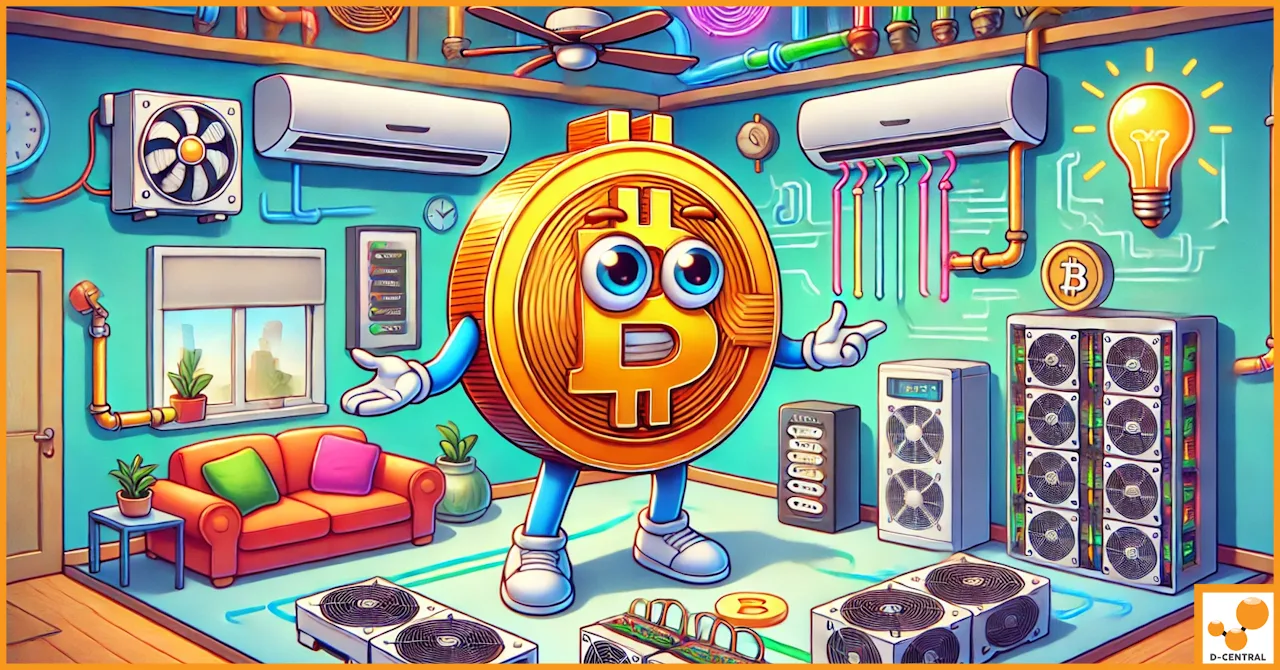
An Antminer S19 turns 3,250 watts of electricity into 3,250 watts of heat, and it does it in a box the size of a shoebox. That heat has to go somewhere. If it doesn’t, the miner throttles itself, then shuts down, then — if you keep ignoring it — starts cooking chips. Cooling isn’t an accessory category. It’s the difference between a miner that runs for years and one that dies in a hot summer. This guide walks the real options, from a $20 fan to a full immersion tank, and tells you honestly which ones make sense for a home setup.
Last updated: May 2026.
Why cooling is non-negotiable
Heat is the enemy of every part of a miner. Here’s the chain of failure when cooling falls short — every link of it documented in D-Central’s Antminer error code reference:
- Thermal throttling first. Modern ASICs protect themselves by dropping clock speed when they run hot. You don’t get an error — you just quietly lose hashrate. You’re paying full power for reduced output.
- Then the shutdown. Cross the threshold and the miner trips a temperature-too-high fault and stops. Every minute it’s down is mining time lost.
- Then the chip damage. Sustained heat degrades the silicon, dries out thermal paste, and pushes a board toward chip temperature imbalance and eventually dead chips — a repair-bench problem, not a settings fix.
- And the cooling system itself can fail. A clogged or worn fan throws a fan speed error — which means the thing keeping the miner alive just stopped.
The goal of every cooling strategy below is the same: get the heat away from the chips and out of the room faster than the miner produces it.
The heat load you’re actually managing
“Cooling solutions” means wildly different things depending on what you’re cooling. Match the strategy to the heat load:
| Miner | Power / heat output | Realistic cooling approach |
|---|---|---|
| Bitaxe Gamma | ~15 W | Its own small fan and a decent heatsink. That’s it. A 15-watt board doesn’t need a cooling “system.” |
| Bitaxe Hex | ~90 W | Built-in fan plus good airflow around it. Still trivial compared to a full ASIC. |
| Antminer S9 | ~1,350 W | Stock fans plus room ventilation, or a shroud to duct exhaust out. |
| Antminer S19 | ~3,250 W | Serious air management — ducting, exhaust, possibly AC — or immersion. |
| Antminer S21 | ~3,500 W | The highest home heat load. Dedicated air handling or immersion only. |
One thing the table makes obvious: if you’re running a single-board Bitaxe, most of this guide doesn’t apply to you. A Bitaxe handles its own thermals with its onboard fan. The cooling problem is a full-ASIC problem. Everything below is about the 1,000–3,500 watt machines.
Air cooling: where almost every home miner should start
Air cooling is cheap, simple, and — done right — completely adequate for home-scale mining. Done wrong, it’s the reason people think their miner is “defective.” The principle is airflow management, not just “add fans.”
Room ventilation and airflow path
An ASIC pulls cool air in one end and blows hot air out the other. Your job is to feed it cool air and take the hot air away — a defined intake-to-exhaust path. A miner blowing hot exhaust into a corner where it recirculates back into its own intake will overheat in a closed room no matter how many fans you add. Get the path right first; it costs nothing.
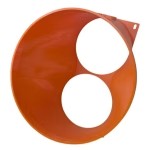
Shrouds and ducting — the highest-value upgrade
A shroud channels the miner’s chaotic exhaust into a single managed stream you can duct — out a window, into a vent, wherever the heat should go. This is the single best cooling upgrade for a home setup, because it solves cooling and noise at the same time. D-Central makes Universal ASIC Shrouds and Antminer-specific shrouds for exactly this, and they can tie into existing HVAC ducting. If you do one thing to your air-cooled setup, do this.
Air conditioning
AC works, but understand what you’re doing: you’re spending electricity to remove heat that your electricity created. In a hot climate or a sealed room it may be necessary, but it’s the least efficient option on this list. Size the unit to the heat load, and seal the room so you’re not cooling the outdoors. In a cold climate, the smarter move is the opposite — duct the free outside air in, which the Canadian mining advantage makes genuinely viable for much of the year.
Maintain the fans you have
The best cooling system fails if the fans are clogged with dust. Regular cleaning — see our Antminer teardown guide — keeps stock cooling working at spec. A dust-choked heatsink is the most common, most preventable cause of an overheat.
Immersion cooling: powerful, but be honest about it
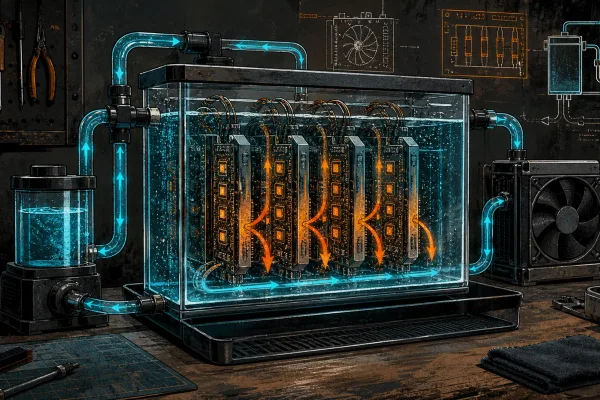
Immersion cooling submerges the miner in a non-conductive dielectric fluid. The fluid pulls heat off every component directly, circulates to a heat exchanger, cools, and returns. It’s genuinely impressive technology:
- Excellent heat removal — far more even and aggressive than air, which is what enables stable overclocking.
- Near-silent — the miner’s own fans come out, and the fans are the main noise source.
- Protects the hardware — no dust, no oxidation, stable temperatures.
Now the honest part. Immersion is a significant project: a tank, a pump, a heat exchanger, the dielectric fluid itself (not cheap), and a real installation. The miner needs to be prepped for immersion — stock fans removed, sometimes other modifications. There’s spill risk, fluid maintenance, and meaningful upfront cost. For a single-miner home setup, immersion is usually overkill — a good shroud-and-duct air setup costs a fraction and keeps a home miner perfectly healthy. Immersion earns its place when you’re running multiple machines, chasing aggressive overclocks, or fighting a hot climate where air simply can’t keep up.
If immersion is your direction, hardware choice matters. D-Central’s custom builds — the Antminer Slim Edition and Loki Edition — are S9-based units already configured for efficient, low-noise operation and make sensible immersion candidates.
Air vs. immersion: the straight comparison
| Factor | Air cooling | Immersion cooling |
|---|---|---|
| Upfront cost | Low — fans, a shroud, ducting | High — tank, pump, heat exchanger, fluid |
| Complexity | Low — most people manage it themselves | High — real installation and maintenance |
| Noise | The miner’s fans are loud | Near-silent — fans removed |
| Cooling performance | Fully adequate for home scale, done right | Superior — enables stable overclocking |
| Maintenance | Clean fans and heatsinks regularly | Monitor fluid level and quality, service the exchanger |
| Best for | Single miners, most home setups, beginners | Multiple miners, overclockers, hot climates |
For the overwhelming majority of home miners running one or two machines: air cooling with a proper shroud and a real exhaust path. Immersion is the right answer to a specific, bigger problem — not the default upgrade.
The smartest move: don’t waste the heat
Here’s the reframe. All that heat your cooling system works to remove? It’s not waste — it’s the exact same heat you’d otherwise pay an electric heater to produce. Instead of fighting to dump it outside, route it somewhere useful. That’s the entire idea behind D-Central’s Bitcoin Space Heater Editions — full-ASIC miners re-engineered so their “cooling solution” is your home heating. The S9 Edition (~1,100 W, ~50 dB) and S19 Edition (~2,400 W, ~55 dB) treat the heat as the product, not the problem. In a cold Canadian winter, “cooling” your miner by heating your house is the best deal in mining.
Frequently asked questions
Do I need immersion cooling for a home miner?
Almost certainly not. For one or two miners, well-managed air cooling — a shroud, a defined exhaust path, regular fan cleaning — keeps the hardware healthy for a fraction of immersion’s cost and complexity. Immersion makes sense for multiple machines, aggressive overclocking, or climates where air cooling genuinely can’t keep up.
What’s the single best cooling upgrade for an air-cooled miner?
A shroud with ducting. It channels the miner’s hot exhaust into one managed stream you can send out a window or into a vent — solving both cooling and a big share of the noise at once. D-Central’s Universal ASIC Shrouds and Antminer-specific shrouds are built for this.
Does a Bitaxe need a cooling system?
No. A Bitaxe draws only about 15 watts and handles its own thermals with its onboard fan and heatsink. Cooling “systems” — shrouds, ducting, immersion — are a full-ASIC concern for the 1,000–3,500 watt machines, not for a single-board solo miner.
Why does my miner keep shutting down in summer?
That’s a temperature-too-high fault — the miner protecting itself from heat it can’t shed. Check for dust-clogged heatsinks and fans first, then look at your airflow path: a miner recirculating its own hot exhaust will overheat regardless of fan count. A shroud-and-duct setup or better room ventilation is the fix.
Cool it right, or put the heat to work
For most home miners, the answer is unglamorous and effective: a shroud, a real exhaust path, and clean fans. For bigger or hotter setups, immersion has its place. And for the smartest play of all in a cold climate — let the miner heat your house and call that the cooling solution. Browse D-Central’s shrouds and cooling accessories, look at the Bitcoin Space Heater Editions if heat recovery appeals to you, and this guide pairs with our ASIC noise reduction guide — because the same airflow work quiets the miner too. Questions? The team is reachable.